

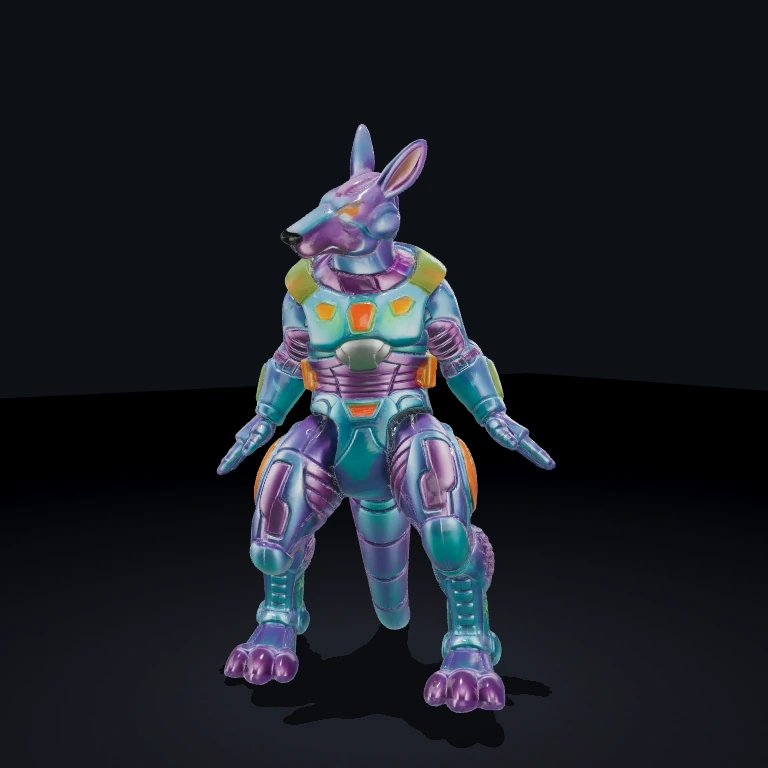
AIKick
Gives an AI player a kick: when it has the ball and a target is in the clear, it fires the ball toward the closest unblocked goal or teammate.
What it does
AIKickSystem runs every entity carrying an AIKickComponent. Each frame it reads the AI's and ball's world positions, collects the configured goals and teammates as candidates, and builds a blocker sphere for every entity matching blockerTags. The pure core (AIKick.core) then picks the best target — the candidate closest to the ball whose straight ball-to-target line no blocker crosses — but only when the AI is within kickDistance of the ball and the per-entity cooldown is ready. On a kick it emits aiKick.kicked with the chosen target and the velocity to apply, and also emits physics.setVelocity so a physics rig moves the ball without extra wiring. Possession is decoupled: the System listens for possession.changed / possession.lost to flip each owner's hasBall flag, so it never reads BallPossession's component directly. Mesh handles arrive over meshprimitive.created or are seeded from MeshPrimitive components at init, so the System works through the renderer rather than touching meshes.
Use it in a scene
A scene is just data — a list of entities, each with its components. At startup the SceneLoader turns this JSON into a live world; edit the file and reload to rebuild it.
Fastest path
Pulls this exact scene into your project and runs it — no copy-paste. Add --all to grab the components and assets it needs too.
Or build it from scratch with the bjs CLI:
- 1Scaffold a project
World, renderer, and dev server — ready to run.
- 2Install dependencies
- 3Add AIKick
Copies its source into src/ so the scene resolves.
First time? Run bjs login once.
- 4Paste the scene into src/scenes/arcade-room.ts and run
SceneLoader builds the world from the JSON; reload to rebuild.
Props
ballEntity(string, default"Ball") — id of the ball entity this AI kicks.targetGoals(string[], default[]) — ids of goal entities to aim at.teamEntities(string[], default[]) — ids of teammates a pass may go to; the AI's own id is filtered out at runtime.blockerTags(string[], default["enemy", "ai"]) — entities with any of these tags (minus the AI, ball, and targets) become blocker spheres on the kick line.waiveRangeCheck(boolean, defaultfalse) — when true the AI may kick without holding the ball; useful for panel-triggered demo kicks.kickDistance(number, default1.5) — how close the AI must be to the ball before a kick can fire (world units).kickForce(number, default20) — velocity magnitude applied to the ball on a kick.kickCooldown(number, default0.5) — seconds between kicks for one AI.arcLift(number, default0.2) — fraction ofkickForceadded to the Y axis for a soft arc, clamped conceptually to[0,1].
Events
- emits
aiKick.kicked—{ entityId, targetId, targetKind: 'goal' | 'teammate', ballEntityId, from, to, velocity }on the frame a kick fires. - emits
physics.setVelocity—{ entityId, vx, vy, vz }for the ball, so a bouncy/physics rig applies the kick with no glue. - consumes
possession.changed—{ entityId, previousEntityId }; the previous owner'shasBallflips off and the new owner's flips on. - consumes
possession.lost—{ entityId }; that owner'shasBallflips off. - consumes
meshprimitive.created—{ entityId, handle }; caches the mesh handle for any entity it tracks.
Dependencies
MeshPrimitive — supplies the AI, ball, goal, and teammate meshes the System reads world positions from, and its meshprimitive.created event feeds the handle cache. Blocker radii come from sibling meshes' primitive/diameter/radius when known, falling back to 0.5.
BallPossession is not a hard dependency — AIKick only consumes its possession.changed / possession.lost events. Without it, drive hasBall another way or set waiveRangeCheck for demo kicks. A physics.setVelocity listener (a Physics or ball-reset rig) is what actually moves the ball after a kick.
Notes
- The cooldown is per entity and lives in the core, so back-to-back frames in range can't fire repeated kicks.
- A teammate is never a self-pass — the AI's own id is dropped from
teamEntitieseach frame — but goals keep their slot regardless. - A blocker disqualifies a target by sphere-vs-segment test on the ball-to-target line, so a clear lane is required, not just a clear endpoint. Candidates that are themselves blockers (a target also matching
blockerTags) are excluded from the blocker set. - With
targetGoalsandteamEntitiesboth empty there is nothing to aim at, so no kick fires even in range.


