

Claude Code Plugins
Two Claude Code plugins shipped inside @babylonjsmarket/ecs and @babylonjsmarket/arcade — install once, stop fighting hallucinated APIs
Sections
Features
- Stop Hallucinating the API
- Scaffold Components in One Prompt
- Two Skills, One Install
- Convention Drift Caught at the Plugin Level
- Replaces arcade-mcp
- Works Across Every Consumer
CLI Tools
Documentation
3 sections walk through everything Claude Code Plugins ships with. Each one starts with a quick read; click through when you need depth.
 01
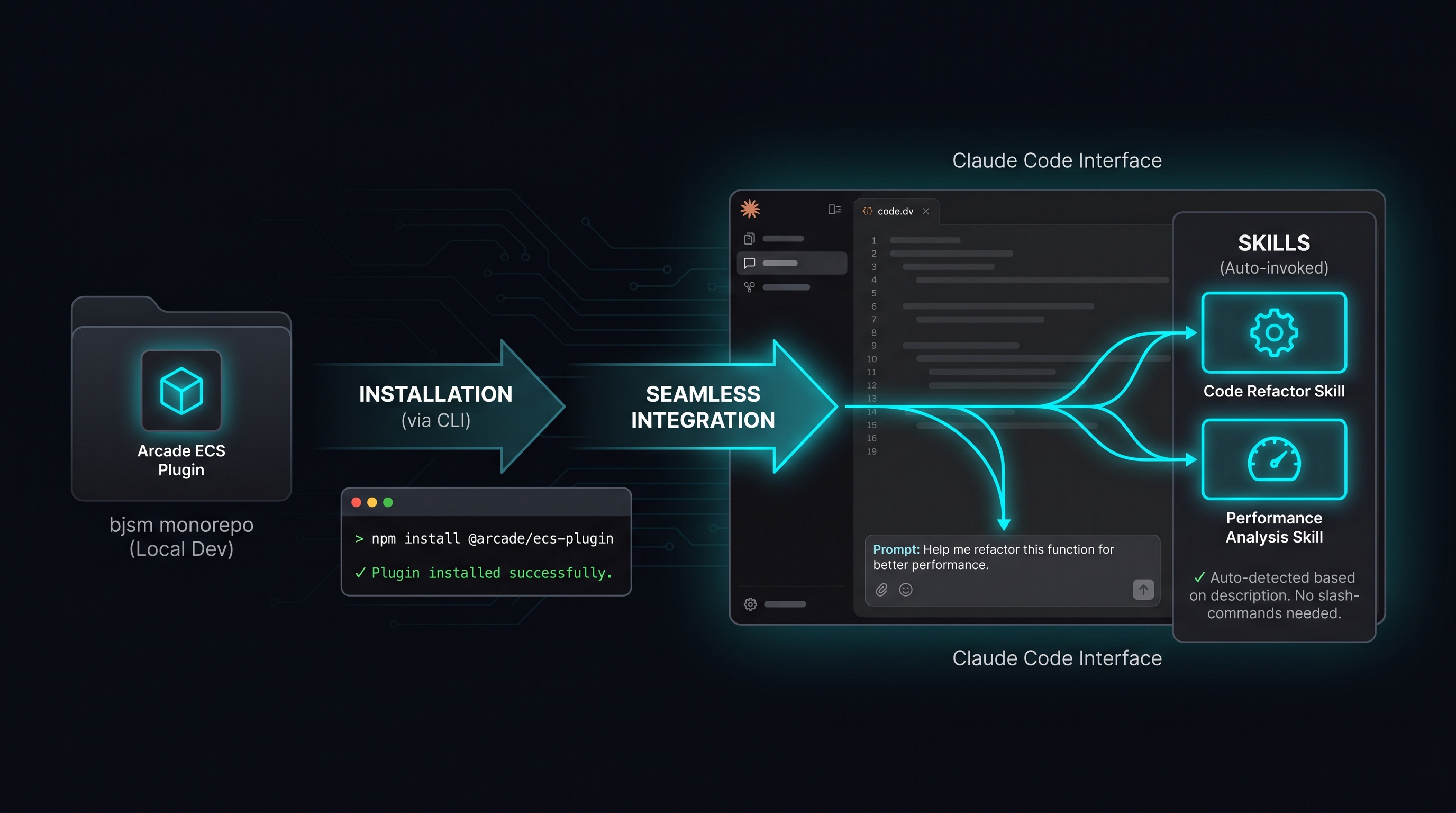
01Installation
Learn more →The plugin lives at
packages/claude-plugin-arcade-ecs/inside the bjsm monorepo. Claude Code installs it directly from that path — there's no npm package to fetch.- 02
The Two Skills
Learn more →Both ship under the
arcade-ecs:namespace so they don't collide with skills from other plugins. Claude auto-routes by description match — you describe what you want, the right skill fires. - 03
Customizing the Plugin
Learn more →When the framework evolves, the plugin needs to follow. This page is for maintainers who need to update the skills, the templates, or the convention rules.
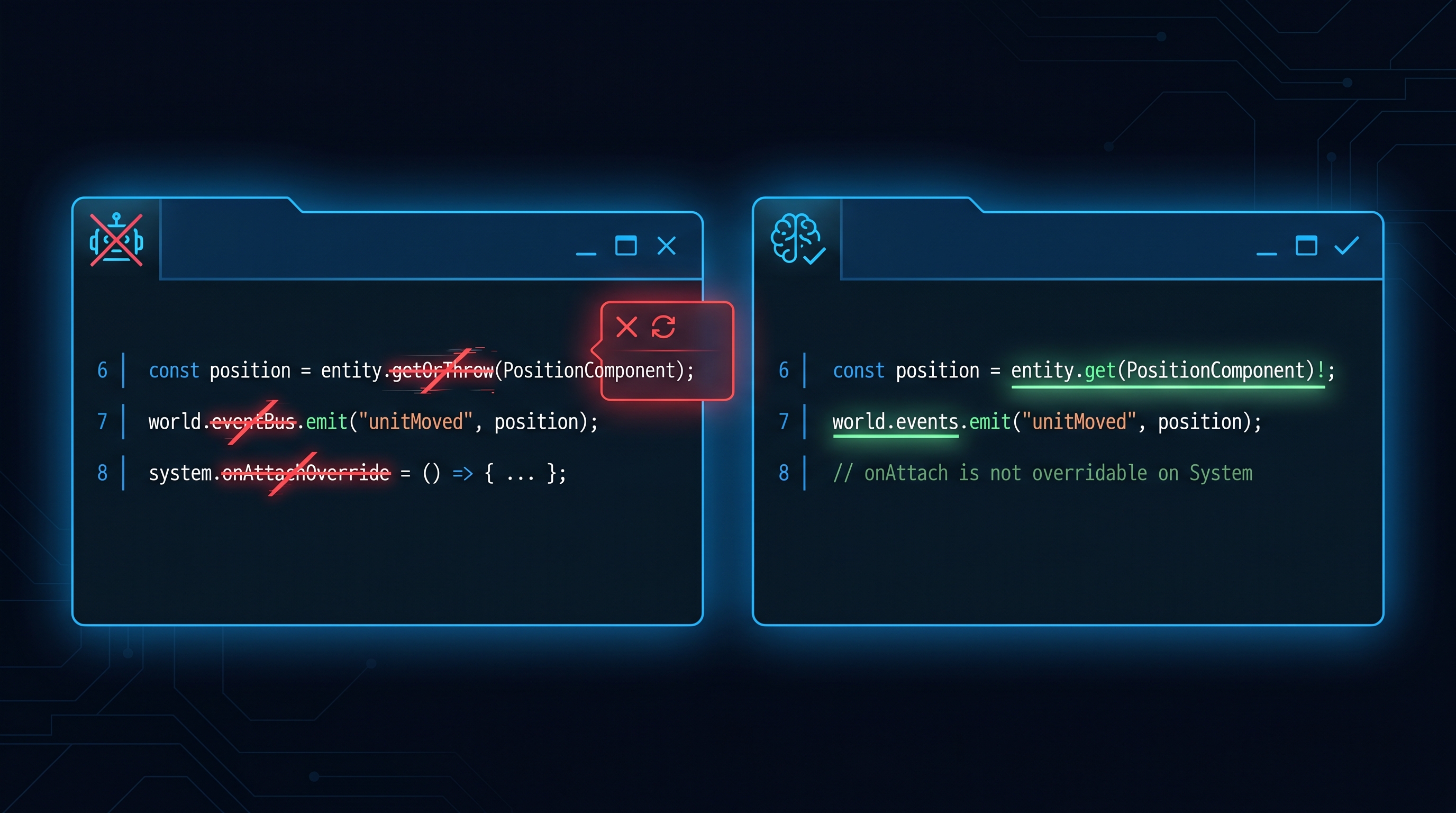
Stop Hallucinating the API
By default Claude invents method names that look plausible — `entity.getOrThrow`, `world.eventBus`, `onAttachOverride` on a System. None of those exist on @babylonjsmarket/ecs. The plugin's `ecs-api` skill carries the authoritative method surface derived from source, plus an anti-pattern table that explicitly flags the impostors. Generated code uses the real API on the first try.
Scaffold Components in One Prompt
Type 'add a Cooldown component — entity has a timer that decrements each frame.' The plugin's `scaffold-ecs` skill produces a Component + System + Events file at the right path, with query, lifecycle hooks, and bus-subscription cleanup wired correctly. No template files to maintain in your project; the templates live in the plugin.

Two Skills, One Install
`ecs-api` keeps generated code honest. `scaffold-ecs` generates new code following the same conventions. They reinforce each other — what the scaffolder writes, the API skill verifies. Both are namespaced under the plugin so they don't collide with other skills, and both auto-invoke when their trigger conditions match your prompt.

Convention Drift Caught at the Plugin Level
The conventions encoded in this plugin are the same ones the framework enforces in its source: pure data Components, `onInitialize`/`onShutdown` lifecycle, unsubscribe tracking, `world.getEventBus()` not `world.eventBus`. When the framework evolves, you update the skill — every project that installs the plugin picks up the new convention without each codebase re-discovering it.

Replaces arcade-mcp
Earlier we shipped an MCP server for the same job. Plugins are simpler — no separate process, no JSON-RPC, no Claude Desktop config. Skills run inside the model's normal tool loop and reach the same outcome with less plumbing. arcade-mcp is gone; this plugin is the canonical replacement.

Works Across Every Consumer
Install the plugin once in Claude Code. Every project that depends on @babylonjsmarket/ecs or @babylonjsmarket/arcade benefits automatically — the games monorepo, customer projects scaffolded with create-arcade, custom games you ship under a license. One plugin, every codebase that touches the framework.