
7 minutes
Types That Catch Bugs
TL;DR — TypeScriptA language that adds types on top of JavaScript and checks them as you type, then erases them to plain JS. catches a wrong-typeA promise about what kind of value something is — a number, a string, a function that returns nothing — checked while you type. value with a red squiggle before the code runs. This lesson shows you how, and how to read real framework type signatures out loud: annotations, inferenceThe compiler working out a value's type from the value itself, so you don't have to write the annotation., and what
strictmode adds. Skip it if you can already read a signatureThe shape of a function written as types — its name, its parameters, and its return type. likeemit<T = any>(type: string, data?: T): voidat a glance. If not, this is the reading skill every later lesson leans on.
Last lesson, you pulled a real framework into your running Vite project. You wrote import { World } from "@babylonjsmarket/ecs", then new World(), and it compiled cleanly. But the compilerThe program that reads your TypeScript, checks the types, and reports any broken promise as you type. had nothing to catch yet. Nothing you wrote could go wrong. This lesson is about the one thing that makes TypeScript worth the trouble. It catches a whole class of bug before the code ever runs.
Here's the bug. You hand the stringThe TypeScript type for text — characters inside quotes. "10" to something that wants the numberThe TypeScript type for any numeric value, whole or fractional, positive or negative. 10. Plain JavaScript does not complain. The line runs. It does the wrong thing quietly. The mistake shows up hours later, in production, in front of a user. TypeScript catches it the instant you type it. You get a red squiggle under the wrong spot in your code editor. (The code editor is the program you write code in, like VS Code.) The squiggle appears before you even save. So how does TypeScript know a value is wrong when the code hasn't run yet? And once you can read that, what does a scary-looking line of framework source really say?
A type is a promise about a value
A type is a promise about what kind of value something is. "This is a number." "This is text." "This function gives nothing back." The compiler checks those promises while you type. Break one and you get a squiggle under the wrong word. It works like spellcheck, but it checks the meaning of your code instead of the spelling.
You make a promise with an annotationA colon followed by a type that pins down what a variable, parameter, or return value is allowed to be.. That's a colon, then the type.
let and const both give a name to a value. Use const for a value that never changes, and let for one that can. Read each colon as "is a." number, string, and boolean are the primitives. They are the atoms that every larger type is built from. score is a number, so it holds 0 or 42 or 3.14. playerName is a string, so it holds text in quotes. isAlive is a booleanThe TypeScript type that holds only true or false., so it holds only true or false. Try to put text in score, and the promise breaks right away.
A function is a named block of steps. You run it later by calling its name. Functions are where annotations really help. You label each parameterA named input a function declares, each with its own type annotation. (an input it expects) and the return typeThe type of the value a function hands back, written after the parameter list.:
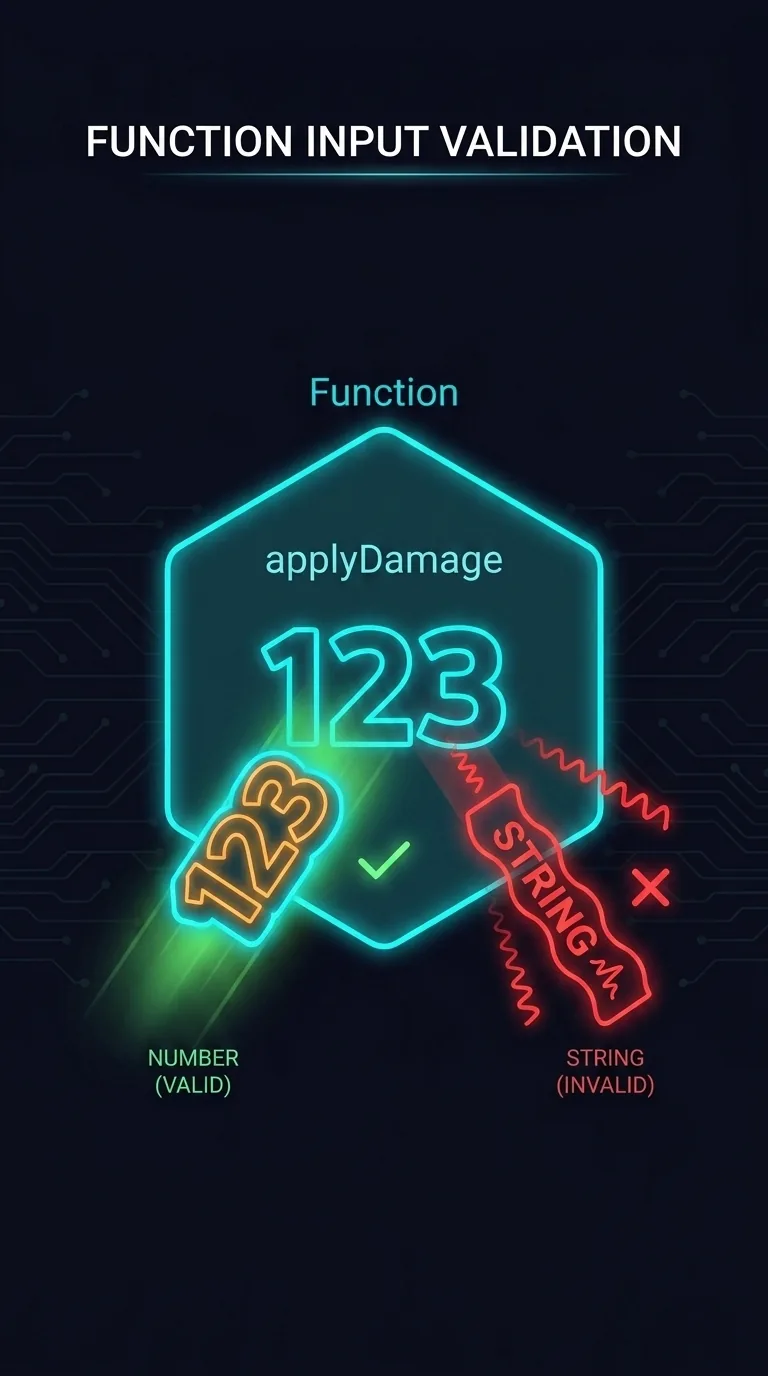
Read it left to right. applyDamage takes an amount that is a number, and returns void. void is the type that means "gives nothing back." That // line inside the braces is a comment. A comment is a note for humans that the computer ignores. We use them throughout to point at the squiggle. Now break it on purpose:
Here applyDamage("10") is running the function from just above. You call it by name with one argument. You promised a number, but you handed it the string "10". The squiggle appears as you type, so the mistake never leaves your editor. Plain JavaScript fails in a much quieter way. The line health - "10" runs without anyThe escape-hatch type that turns off all checking for a value, treating it as anything. complaint. JavaScript turns the text "10" into the number 10, so 100 - "10" gives 90. That's a real number, computed from a value you never meant to pass, and there is no error anywhere. It slips into a later calculation, and you go looking for it hours from now. TypeScript turns hours of debugging into two seconds at the keyboard.
Inference: the types you don't write
That may look like a lot of colons. Here's the good news: you usually don't write types at all. The compiler reads the value you assign and works out the type on its own. This is inference.
There are no colons, but the promises are still made and still checked. Try lives = "three" and you get the same squiggle. You only annotate when the value alone can't tell the whole story. Here are two common cases:
The whole framework follows one habit. Let inference handle ordinary variables, and annotate the function boundary. Those boundary annotations also work as documentation. The greet line already tells any reader what to pass in and what comes back, before they read a word of the body.
Reading types in real framework code
So far, everything is code you could write yourself. But the real skill this course is after is reading types you didn't write. So let's open the framework. Here are two lines straight from the type definitions of @babylonjsmarket/ecs:
Both lines start with export, which makes a name usable from other files. You can read past it for now. The first line is a type aliasA meaningful name given to an existing type with the type keyword, like EntityId = string.. That's a meaningful name for an existing type. An entity is a thing in a game, like a player, a coin, or an enemy. Each one needs a text ID to tell it apart. To the compiler, EntityId and string are the same. But a function that asks for an EntityId says what it means. It wants an entity's ID, not just any string.
The second line is your first look at <T>. That's a genericA type with a blank to fill in, written <T>, so one definition stays type-safe for many value types., a type with a blank to fill in. Don't try to learn it yet. It gets its own lesson, and you can ignore the parts inside the parens for now. Read it like this: "a ComponentType is the kind of thing you can call new on to build a component." (A component is a bundle of data attached to an entity.) Then move on. Noticing the shape is enough for now.
Here are two more, from the framework's event system. That's the part that lets one piece of a game tell another that something happened:
Both are type aliases for functions. Read EventCallback<T> as a sentence: a function that receives some data and returns nothing (=> void). The <T> is the same blank as before. It names the type of that data. UnsubscribeFn is even simpler. It's a function that takes no inputs (()) and returns nothing. You call it when you want to stop listening. The doc comments confirm this. The syntax also says it on its own, once you read left to right.
This is the skill the rest of the course depends on. A type signature isn't a wall of syntax. It's a sentence written in punctuation: : is "is a," ? is "optionalMarked with a ? after a name, meaning the value may be present or absent.," [] is "a list of," => is "returns," and void is "gives nothing back."
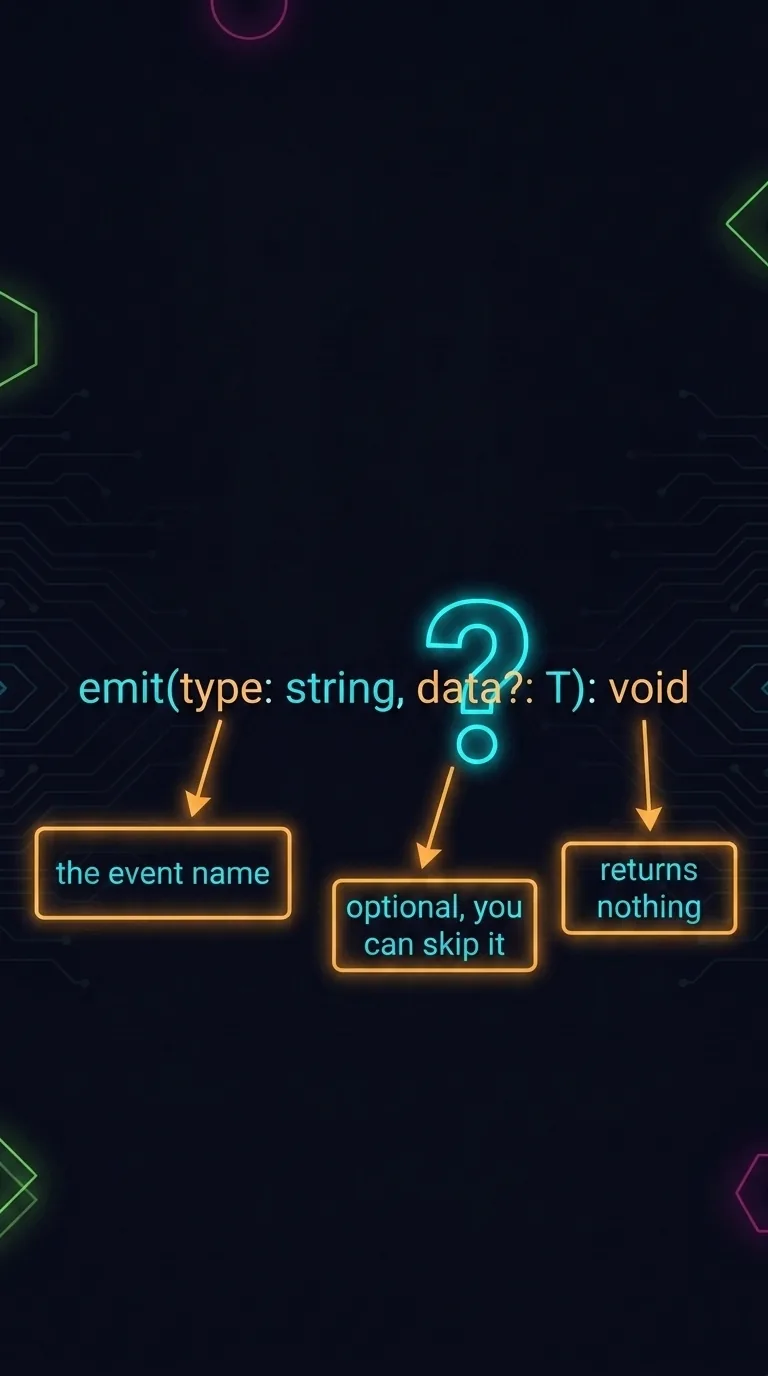
Put the marks together on a real method, and a scary-looking line becomes easy to read. When something happens in a game, you emit an event:
Read it aloud. type is a string (the event name, like "player.damaged"). data?: T is a second input. The ? means optional, so you can leave it off. : void means it returns nothing. The <T> ties the optional data to whatever type you fill the blank with. That's four marks in one sentence. You'll read this exact signature from real source two lessons from now, and by then it'll be obvious.
What strict mode buys you
You met tsconfig.json last lesson. It's the file that configures the compiler. This is a settings file, written in a format called JSON. It isn't code you run. It turns on the strictA tsconfig setting that turns on the compiler's strongest checks, including null safety and no implicit any. option. One setting is worth turning on before you write anything serious:
strict asks the compiler to do more work. Two of the checks it adds matter most. The first is null safety. It won't let you use a maybe-missing value as if it's definitely there. Watch it stop a crash:
A few marks in that first line are new. .find is a built-in that walks a list and hands back the first item that matches a test. Here the test is (p) => p.id === "hero", written as a small inline function. For each item p, it asks: is its id exactly "hero"? (=== means "exactly equal to.") That => builds a little function. This is a different job from the => in a type signature, which reads "returns." It's the same arrow with two uses. find returns nothing when nothing matches. So under strict, the compiler won't let you reach into player until you've checked that it exists. Without the setting, that line compiles fine and then crashes the moment no "hero" is in the list. undefined means no value at all, and "cannot read property of undefined" is the most common runtime error in JavaScript.
The second check guards the escape hatch. any is the type that means "this could be anything." It switches off every check this lesson has been about. Through its noImplicitAny check, strict won't let a parameter or variable go untyped and quietly become any by accident. You have to write any on purpose. The @babylonjsmarket/ecs framework runs in strict mode for this reason. A single render frame moves thousands of entities in a fraction of a second. You want every broken promise to show up as a squiggle in your editor, not as a bug a player finds.
What you can now read
You can now read a type as a promise. You can lean on inference for everyday variables. And you can read a real signature like emit<T = any>(type: string, data?: T): void out loud. Reading code you didn't write, without panic, is most of what makes the rest of this course easy. Every lesson from here opens the framework's own source and reads it. One mark we kept skipping past is that <T>. It gets explained soon. But first come the framework's classes: the small set of blueprints the whole thing is built from.
Next: Classes — the blueprints the whole framework is filled in from, read straight off a real abstract base and a real component that extends it.